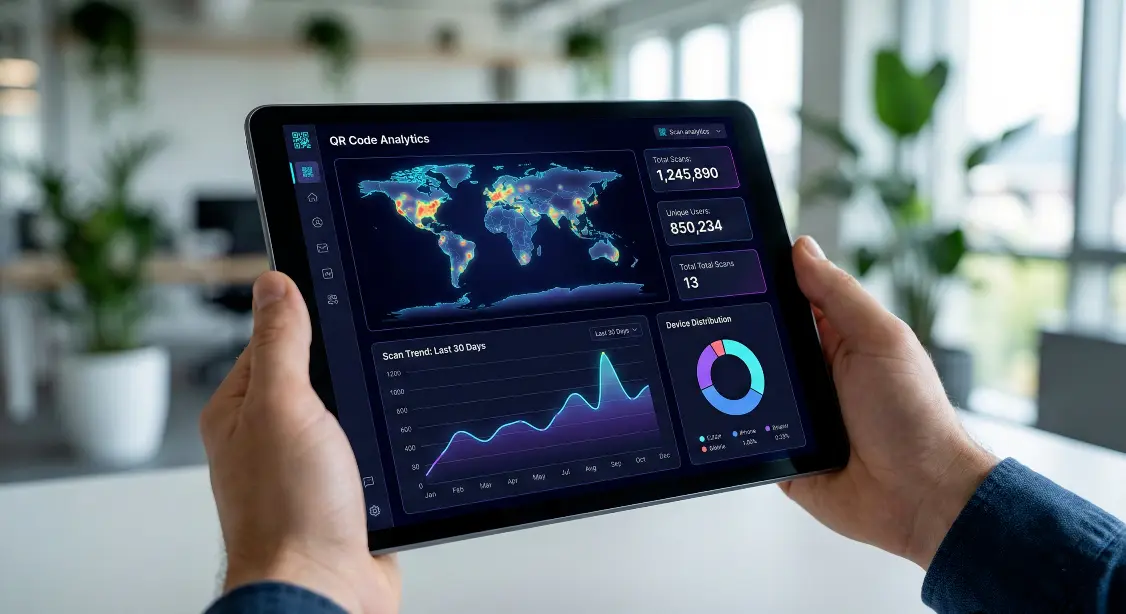
Learn how to track QR code scans, location, devices, and performance using QR code analytics. Step by step beginner guide with examples and best practices.
QR codes are everywhere today on product labels, restaurant tables, posters, packaging, and advertisements. But simply creating a QR code isn’t enough.
If you want to know whether people are actually scanning your QR code, you need QR code tracking and analytics.
The good news? It’s easier than you think and you don’t need to be technical.
In this guide, you’ll learn how QR code tracking works, what you can measure, and how to track scans step by step.
What is QR Code tracking?
QR code tracking allows you to see how many times your QR code was scanned and other useful scan insights such as:
- How many people scanned it
- From which country or city
- Which device they used
- What time they scanned it
Tracking works only with dynamic QR codes, because the destination link is editable and routed through analytics.
Static QR codes cannot be tracked because they point directly to a fixed URL.

Why Tracking QR Codes is Important ?
Businesses use QR analytics to:
- Measure campaign performance
- Identify best-performing locations
- Improve marketing strategy
- Track engagement over time
- Understand customer behavior
For example:
A restaurant prints a QR code on menus. By tracking scans, they can see:
- Which branches get more traffic
- Whether promotions increased scans
- What time customers scan most
This helps them make smarter business decisions.
What can you track with QR code analytics ?
Most QR tracking tools allow you to see:
- Total scans
- Unique scans
- Location (country, city)
- Device type (Android, iPhone, Desktop)
- Time and date of scans
- Browser type
Some advanced systems also track:
- Campaign labels
- Referrer sources
- Heat map scan trends

How to track QR code scans (Step by step guide) ?
Step 1 - Create a Dynamic QR code
- Visit MakeQRFree.com
- Choose Dynamic URL QR Code
- Paste your link
- Save & generate QR code
Step 2 - Share or Print the QR code
Place it on:
- Posters
- Flyers
- Packaging
- Restaurant menus
- Product labels
Step 3 - Open analytics dashboard
Go to your QR Code dashboard
Select your QR code
View analytics such as:
- Scans today
- Total scans
- Devices used
- Location reports
Static vs Dynamic QR codes for tracking
| Feature | Static QR code | Dynamic QR code |
| Editable link | ❌ No | ✔ Yes |
| Scan tracking | ❌ Not possible | ✔ Yes |
| Analytics reports | ❌ None | ✔ Available |
| Best for | One time use | Business & marketing |
Use Dynamic QR codes if you want tracking
Best use cases for QR code tracking
- Restaurant menus
- Packaging & product labels
- Event tickets
- Business cards
- Marketing posters
- Customer feedback forms
- Digital payment links
You’ll clearly see which campaign performs better.
Common mistakes to avoid
Avoid these errors:
- Using static QR codes for campaigns
- Printing blurry or tiny QR codes
- Forgetting to test before printing
- Redirecting to slow-loading pages
Always test from multiple devices.
Final Thoughts :
Tracking QR code scans helps you understand how people interact with your business. With analytics, you can improve marketing results, optimize campaigns, and make smarter decisions.
Create and track your QR codes for free here :
MakeQRFree.com - Free QR Code Generator
FAQ Section :
Q1. Can I track a static QR code?
No, only dynamic QR codes support tracking.
Q2. Do users know that scans are tracked?
No personal data is collected only anonymous scan statistics.
Q3. Can I change the link later?
Yes, dynamic QR codes allow link updates anytime.
**Author: Make QR Free Team**
Make QR Free Team writes practical guides about QR codes and digital tools, helping businesses use technology in simple and meaningful ways.