Learn how restaurants, cafés, and food businesses can use QR code menus for contactless ordering, faster service, and better customer experience. Step by step guide with use cases and tips.
Running a restaurant today isn’t just about good food, it’s also about speed, convenience, and great customer experience. That’s why many cafés and restaurants are switching from printed menus to QR code menus.
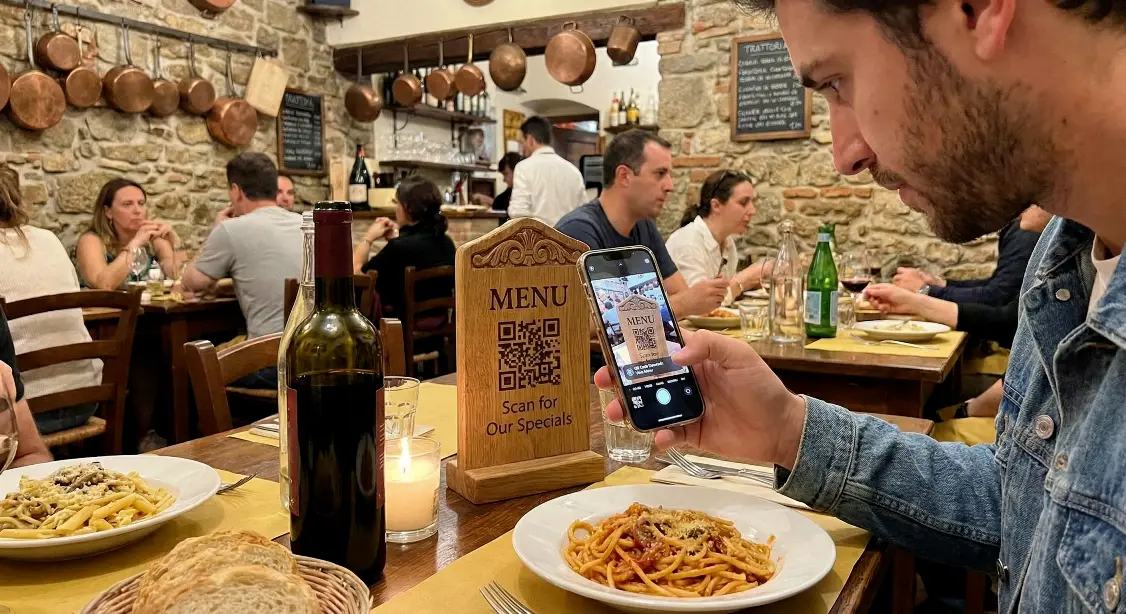
Instead of handing customers a physical menu, you place a QR code on the table. When they scan it with their phone, the digital menu opens instantly.
This guide explains how QR code menus work, why restaurants use them, and how you can create one for free.
What is a QR Code menu ?
A QR code menu is a digital menu that customers can open by scanning a QR code with their smartphone.
Once scanned, it opens:
- A menu webpage
- A PDF food menu
- A Google Drive / image menu
- An online ordering page
Customers can:
- View food items
- See prices and photos
- Avoid handling physical menus
It’s fast, hygienic, and easy to update anytime.

Why restaurants are switching to QR code menus ?
Here are the biggest advantages:
- No printing cost for menu reprints
- Menu updates anytime (prices, photos, items)
- Cleaner & more hygienic experience
- Faster service during rush hours
- Customers don’t need to wait for staff
- Works great for cafés, bars, lounges & hotels
It also feels modern and professional.

How to create a QR code menu (Step by step) ?
Step 1 - Upload your menu online
Upload your menu as:
- Image
- Google Drive or website link
Step 2 - Go to MakeQRFree.com
Visit MakeQRFree.com - Free QR Code Generator
Step 3 - Select “URL / PDF QR code”
Step 4 - Paste your menu link
Step 5 - Customize (Optional)
- Add logo
- Choose colors
- Round edges
Step 6 - Download & print the QR code
Place it:
- On tables
- At entrance
- On flyers
- On takeaway packs
Where can restaurants use QR code menus ?
Great for:
- Dine in tables
- Self service counters
- Outdoor seating
- Hotel rooms
- Delivery packaging
- Café menu boards
Restaurants also use them for:
- Digital food catalogs
- Specials & combo offers
- Seasonal menus
Static vs Dynamic QR code menus
Static QR Menu
- Fixed link
- Cannot be changed later
Dynamic QR Menu
- You can update the link anytime
- Track scans & performance
Recommended for restaurants
Best practices for QR code menus :
- Use high contrast colors
- Avoid tiny QR codes
- Test before printing
- Add text below QR like “Scan to View Menu”
- Place QR at eye visible positions
Common mistakes to avoid :
- Blurry or low quality QR codes
- Broken or private links
- Menus that load too slowly
- Printing QR codes too small
Always test on multiple phones.
Final Thoughts :
QR code menus are more than a trend they make dining faster, safer, and more efficient. Whether you run a café, cloud kitchen, or restaurant, a QR menu can improve the customer experience instantly.
Create your free QR code menu here :
MakeQRFree.com - Free QR Code Generator
FAQ Section :
Q1. Do QR code menus work without internet?
No, customers need an internet connection to open the menu link.
Q2. Can I change my menu later?
Yes, with a dynamic QR menu, you can update anytime.
Q3. Do QR code menus work on all phones?
Yes, they work on Android and iOS smartphones.
**Author: Make QR Free Team**
Make QR Free Team writes simple and practical guides about QR codes and digital tools, helping small businesses use technology to improve customer experience.