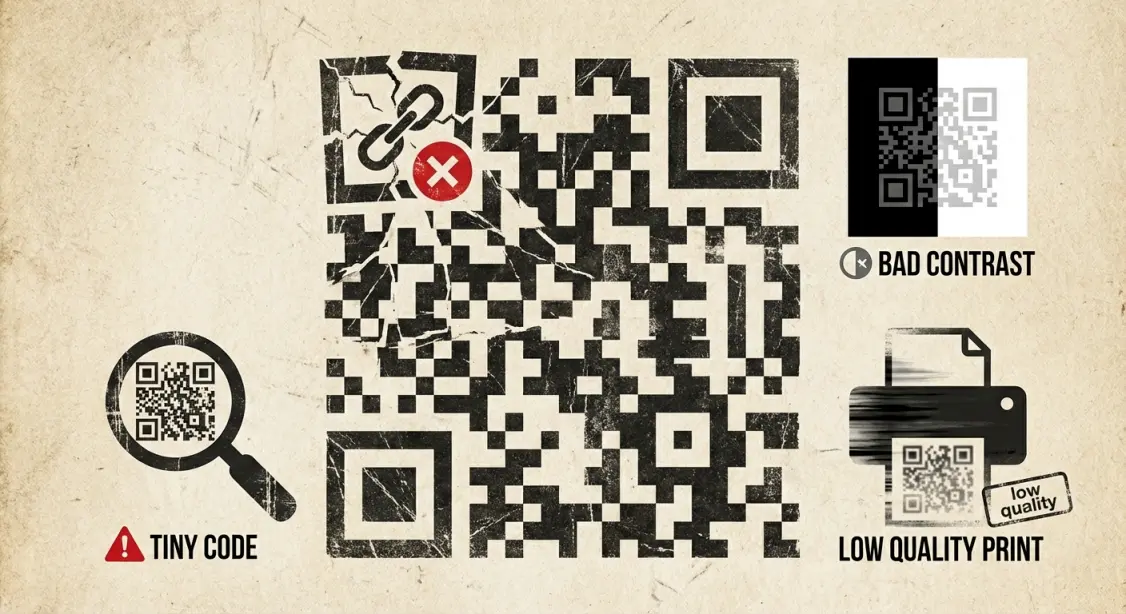
Many businesses use QR codes incorrectly leading to poor scans, broken links, and bad user experience. Learn the most common QR code mistakes and how to avoid them.
QR codes are an excellent tool for marketing, payments, promotions, and customer engagement but many businesses unknowingly use them the wrong way.
A poorly designed QR code can lead to:
- Fewer scans
- Frustrated customers
- Broken user experience
- Lost conversions
In this guide, we’ll look at the most common QR code mistakes businesses make and how you can avoid them.
Most common QR code mistakes businesses make :
1. Using a very small QR code :
If a QR code is too small, it becomes difficult to scan, especially from a distance.
Minimum size guideline
- Print: at least 2.5 cm (1 inch)
- Posters / banners: larger sizes for distance scans
Always test the QR code before printing.
2. Low contrast or fancy colored QR codes :
Many businesses design stylish QR codes but forget scan readability.
Avoid :
- Light colors on light backgrounds
- Neon combinations
- Transparent QR codes
Best option :
Dark QR code on a light background
3. Placing QR codes where they cannot be scanned :
Bad placements include:
- Curved bottle labels
- Close to folds or edges
- Too high or too low on posters
- Reflective or glossy surfaces
Place QR codes where users can scan comfortably.
4. Linking to a broken or slow website :
One of the biggest mistakes is using links that:
- Load slowly
- Are not mobile-friendly
- Return 404 errors
- Redirect too many times
Always check the link on multiple devices.
5. Using Static QR codes for marketing campaigns :
Static QR codes cannot be edited after printing.
If the URL changes, the QR code becomes useless.
For marketing campaigns, always use:
Dynamic QR Codes :
They allow:
- Link editing
- Scan analytics
- Traffic tracking
6. No call to action text :
Many businesses print QR codes with no explanation.
Users don’t know what happens after scanning.
Add clear prompts like:
- Scan to view menu
- Scan to pay
- Scan to get offer
- Scan to give feedback
A strong CTA improves scan rates.
7. Using low quality or blurry QR codes :
Compressed images may affect scanning.
Always export QR codes in:
- PNG for web
- SVG or high-resolution for print
Avoid screenshots or stretched images.

How to use QR codes the right way (Best practices) :
Follow these tips to ensure better scanning and user experience:
- Use high-contrast colors
- Ensure minimum readable size
- Use dynamic QR codes for campaigns
- Test on Android + iPhone
- Avoid busy backgrounds
- Add a meaningful call-to-action
- Keep destination pages mobile-friendly
These simple improvements can make a huge difference in engagement.

Final Thoughts :
QR codes are powerful but only when implemented correctly. By avoiding these mistakes, businesses can create better, smoother, and more reliable scan experiences for their customers.
Create high-quality QR codes for free here :
MakeQRFree.com - Free QR Code Generator
FAQ Section :
Q1. Why does my QR code not scan sometimes?
Most scanning issues happen due to low contrast, small size, poor print quality, or broken links.
Q2. Are colored QR codes bad?
They work only if contrast is strong. Dark QR codes on light backgrounds are safest.
Q3. Should businesses use static or dynamic QR codes?
Dynamic QR codes are better because they can be edited and tracked
**Author: Make QR Free Team**
Make QR Free Team writes simple, practical guides about QR codes and digital tools, helping small businesses use technology in a smart and meaningful way.